Product Info
Description
Programming example for real PLCs.
Includes problem statement and solutions for three automation systems:
-EasyPLC (Nirtec)
-TIA PORTAL v.15 (Siemens)
-RSLogix 5000 (Rockwell)
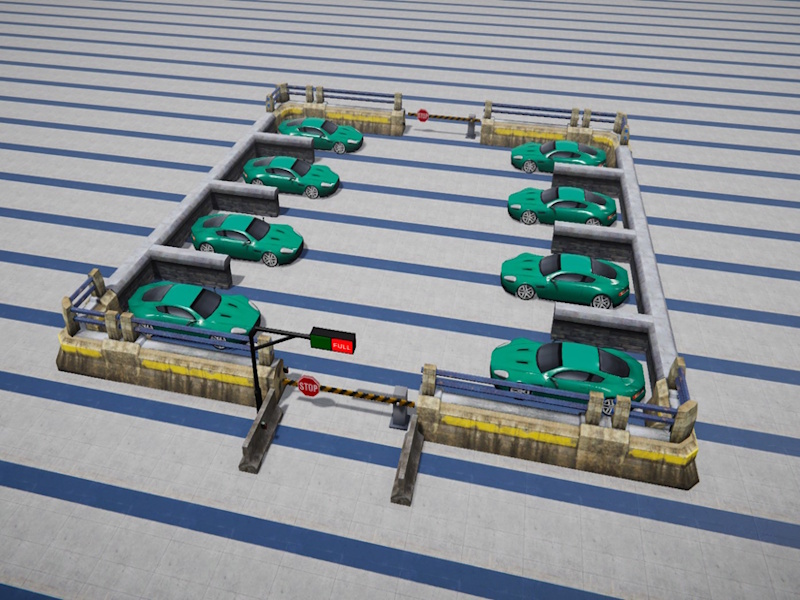
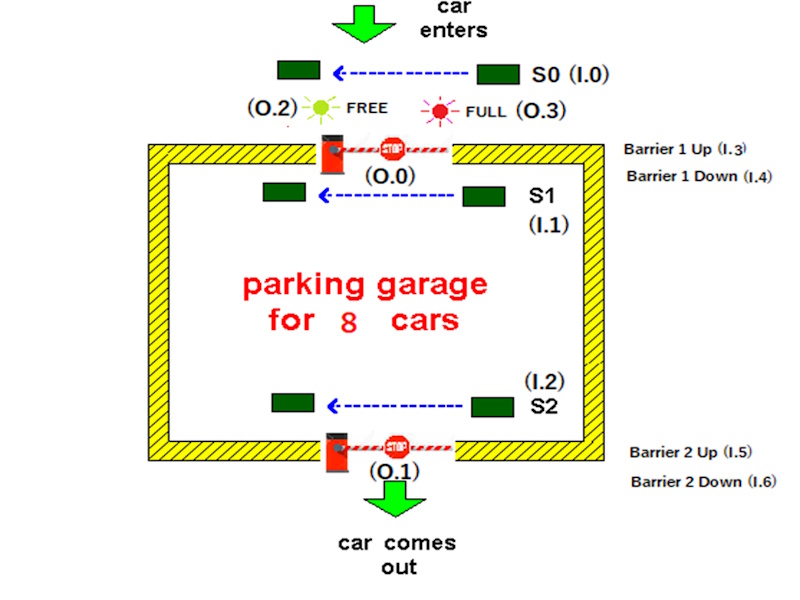
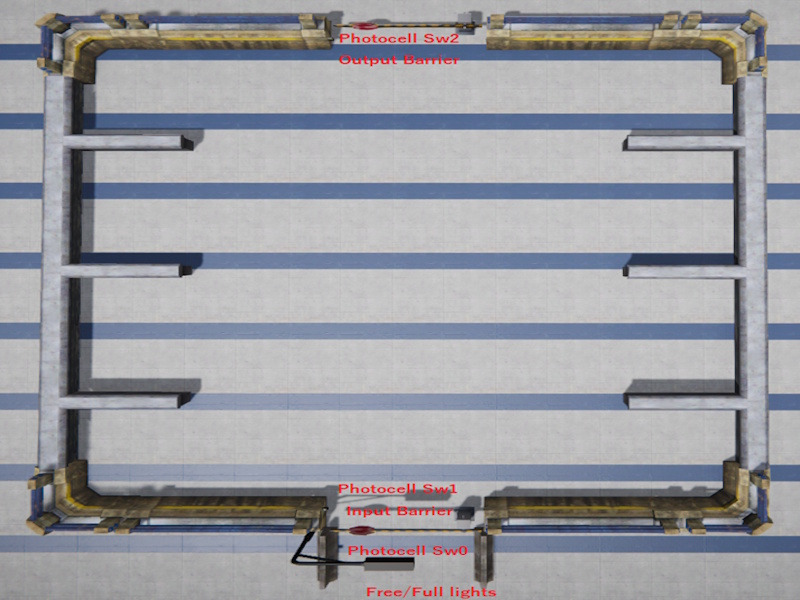
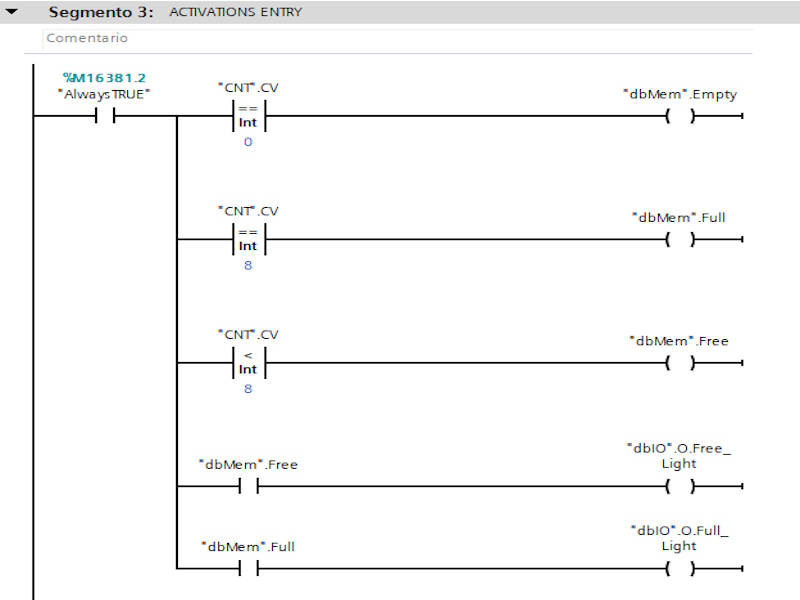
We are dealing with a parking system that can control 8 car at the maximum. Each time a car enters, PLC automatically adds it to a total sum of other cars found in the garage. Each car that comes out will automatically be taken off. When 8 cars park, a signal will turn on (O. 3) signalizing that a garage is full and notifying other drivers not to enter because there is no space available. If are less than 8 cars, the free signal (O.2) will turn on and signal (O.3) must turn off.
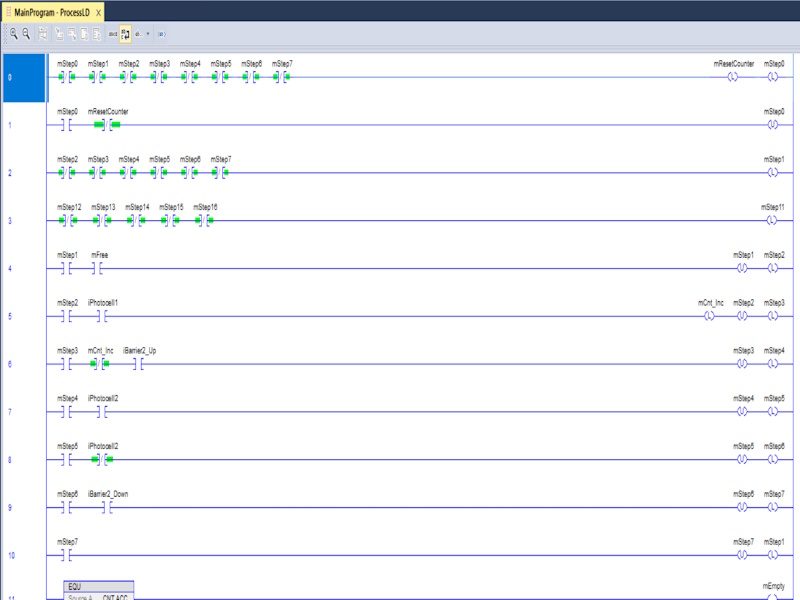
The PLC must to manage also the input and output barriers, in order when a car is near the entrance, if parking available, must to open the entrance barrier and close it when the car pass across. When a car is near the exit, the output barrier must to open and close when the car exits.
(This exercise is part of the Tutorial Manager package where you can find 20 completed and solved automation exercises)
Includes
- Machine file for Machines Simulator
- EasyPLC PLC program
- Siemens TIA PORTAL solution (with Machines Simulator preconfigured communication driver)
- RSLogix 5000 solution (with Machines Simulator preconfigured communication driver)
- RTF Text document with the instructions of the problem to be solved
- RTF Text Documents with explanations of how the programming for each of the systems has been resolved
Installing Instruction
Download the file.
Unzip it
You will find three different folders:
-AB
-EasyPLC
- Siemens
Inside each folder you will find:
- The text files with explanations and solutions for each problem
- The . maq file, which you must copy to the Machines Simulator 4 -> MyMachines folder
(Default: C: -> Nirtec -> Machines Simulator 4 -> MyMachines)
- For TIA PORTAL and RSLogix 5000, you will find the driver configuration files with Machines Simulator.
You must copy this file with the .drv extension to the path: Machines Simulator 4 -> Drivers
(Default: C: -> Nirtec -> Machines Simulator 4 -> Drivers)
- And the project files for each automation software
Dependences
UDC Barrier

PLC Programming Exercise #1
PLC Programming Exercise #1
20,00 €
MS Minimun Required Version: v4.4