Product Info
Description
Programming example for real PLCs.
Includes problem statement and solutions for three automation systems:
-EasyPLC (Nirtec)
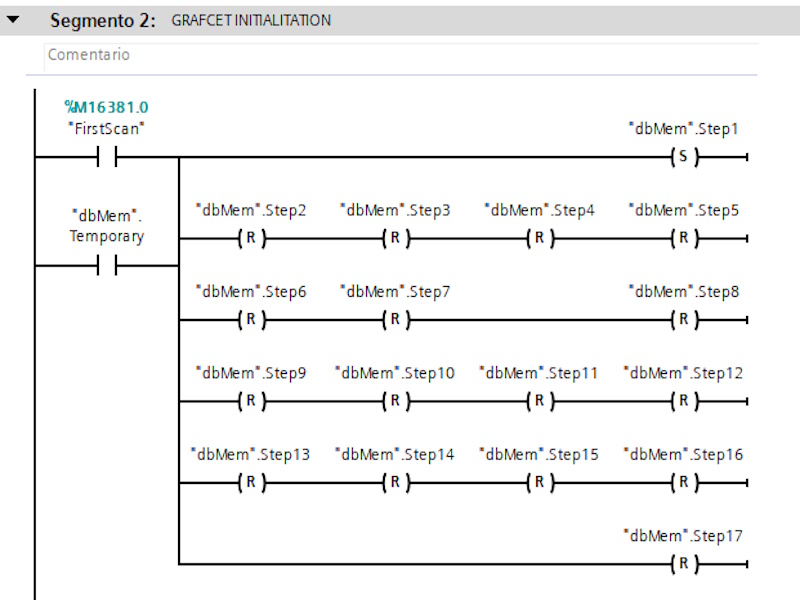
-TIA PORTAL v.15 (Siemens)
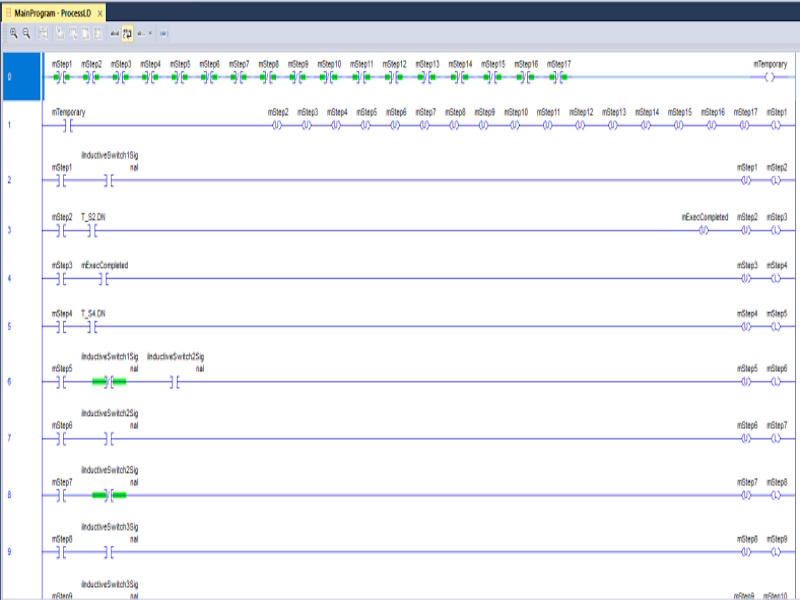
-RSLogix 5000 (Rockwell)
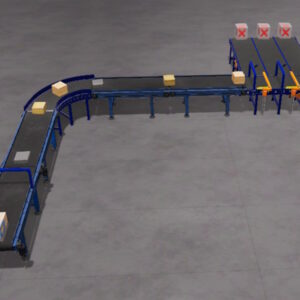
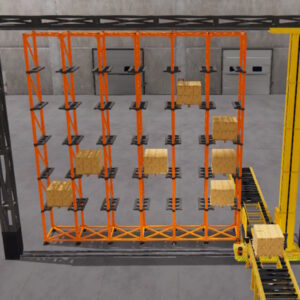
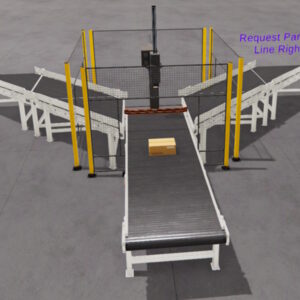
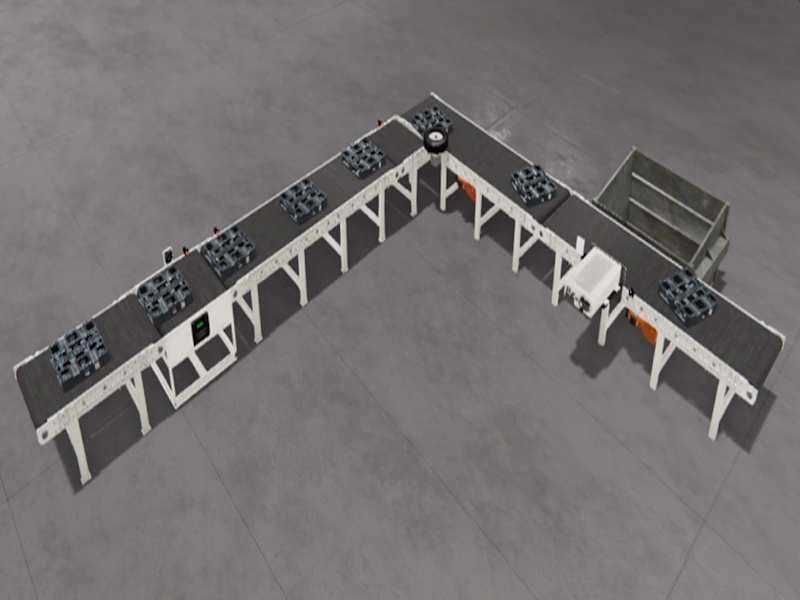
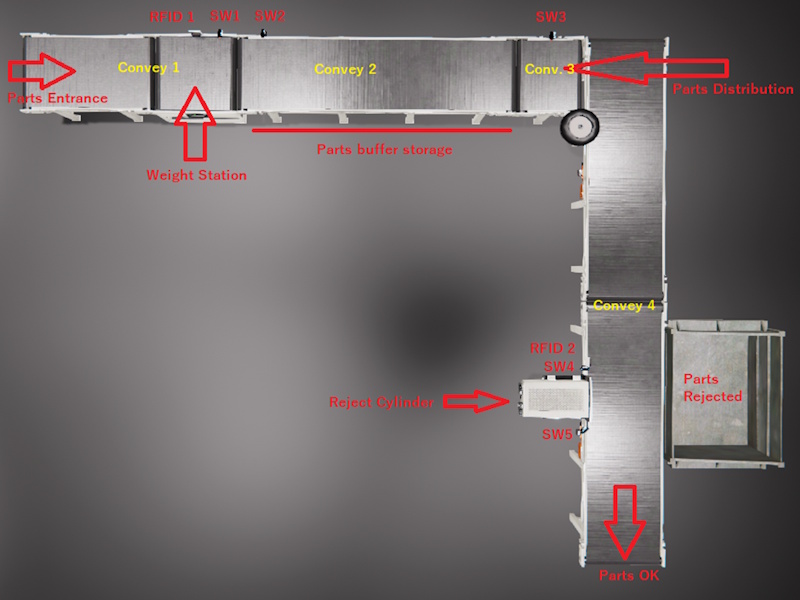
The objective is to weigh the parts and use RFID system to write the parts weigh (each part has a magnetic tag), then feed the parts buffer storage (convey 2). Use the Parts distribution convey to pass one by one part to the Conveyor 4.
Operating instructions for the proposed system:
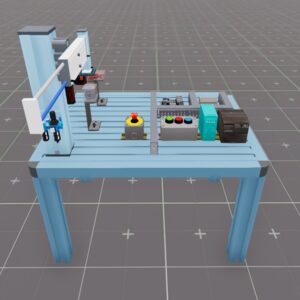
The weigh Station uses one PLC output to start to weigh, and returns one analog value (PLC analog Input) to give the weigh part value. When the Convey 1 is activated, automatically feeds parts to the system.
Use the inductive SW1 to detect the part presence in the weigh station to stop the Conveyor1 and start the weight. Once the weigh system has weighed the part returns one analog value then use the RFID system to save the value on the part tag (using one digital PLC output to activate the write command, and 8 digital PLC outputs to set the value in binary format).
Once the part has been weighed and their value saved, start again the conveyor and feed the parts buffer storage (convey 2), use the convey 3 to distribute one by one the parts in the Convey 4 (this is because the pieces cannot be delivered continuously so that the reject station can discriminate the pieces correctly). Use inductive SW2 to detect line saturation and SW3 to manage the parts transfer to Convey 4.
When the parts arrives to the inductive Sw4, use the RFID system to read their magnetic tag in order to get their weigh, if this is less than 2 Kgr, use the Reject cylinder to reject the part (using one digital PLC Output), use the signal from inductive SW5 to activate the reject cylinder if is the case. If the part weight is greater or equal than 2 Kgr the part must continue forward
(This exercise is part of the Tutorial Manager package where you can find 20 completed and solved automation exercises)
Includes
- Machine file for Machines Simulator
- EasyPLC PLC program
- Siemens TIA PORTAL solution (with Machines Simulator preconfigured communication driver)
- RSLogix 5000 solution (with Machines Simulator preconfigured communication driver)
- RTF Text document with the instructions of the problem to be solved
- RTF Text Documents with explanations of how the programming for each of the systems has been resolved
Installing Instruction
Download the file.
Unzip it.
You will find three different folders:
-AB
-EasyPLC
-Siemens
Inside each folder you will find:
- The text files with explanations and solutions for each problem
- The . maq file, which you must copy to the Machines Simulator 4 -> MyMachines folder
(Default: C: -> Nirtec -> Machines Simulator 4 -> MyMachines)
- For TIA PORTAL and RSLogix 5000, you will find the driver configuration files with Machines Simulator.
You must copy this file with the .drv extension to the path: Machines Simulator 4 -> Drivers
(Default: C: -> Nirtec -> Machines Simulator 4 -> Drivers)
- And the project files for each automation software
Dependences
None

PLC Programming Exercise #3
PLC Programming Exercise #3
20,00 €
MS Minimun Required Version: v4.4